Layout Editor: create your own scoreboard designs
Create custom scoreboard layouts with the drag-and-drop Layout Editor in LemonScore. Adjust size, position and colours of every element for your screen.
Sometimes the built-in layouts do not perfectly match your event or your personal preferences. That is why LemonScore includes a powerful Layout Editor.
With the Layout Editor you can fully adapt the scoreboard to your needs:
- Place components by drag and drop, such as scores, timers, team names and logos
- Freely adjust the size and position of every element
- Choose your own colours for fonts
- Upload your own background image: to match your branding or event design
Whether you are working with a special screen format or simply want a customised look, the Layout Editor gives you full creative control.
Creating a new custom layout
To create a new layout, go to:
Settings → Screen → Layouts
Click "Create new layout"

The Layout Editor

First, give your new layout a name so that you can identify it later.
Next, define a layout resolution. This is important because it must match the resolution of the screen on which you will use the layout.
Adding components
In the right-hand panel under "Components" you can add a new component.

Then select the component you want.

You can freely place the component on the screen by drag and drop.

Editor settings
At the bottom right there are 2 checkboxes.
Snap to grid
When this setting is enabled, components snap to blue lines at ¼, ½ and ¾ of the page to make positioning easier.
Show banner area preview
This shows you an area at the bottom edge of the layout where advertising banners are displayed. To avoid components overlapping with advertising banners, you should not place any components in this area. If you do not want to use advertising banners, this area can be used entirely for components.

Saving and applying the layout
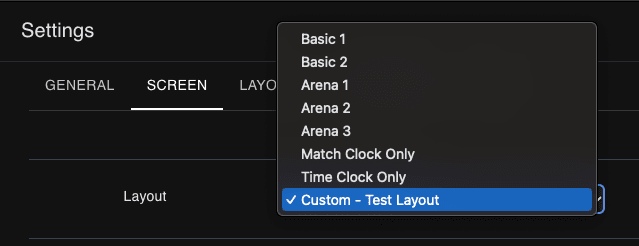
After saving the layout in the editor, you can apply it to the screen. To do so, go to Settings → Screen → Layout and select the custom layout. All custom layouts are added to the layout list once they are saved.